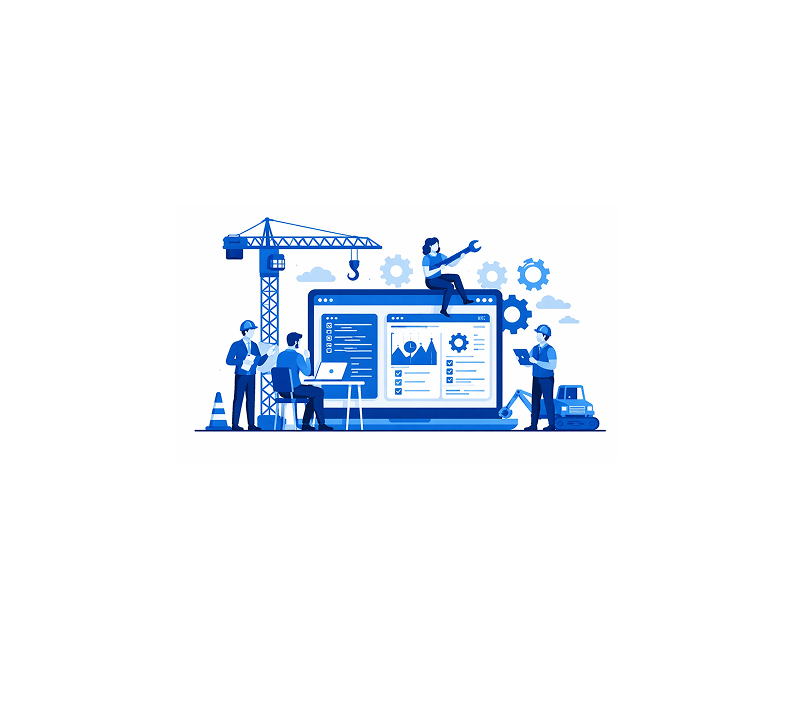
Construction Management Software Development in 2026
Construction management software development has become essential as construction projects grow larger, more complex, and more regulated. From residential projects and commercial buildings to infrastructure and EPC contracts, digital platforms now serve as the single source of truth for planning, execution, and control.
In 2026, construction software is not just a project tracker. It is a collaboration system, cost control engine, document repository, compliance tracker, and real-time decision platform for all stakeholders involved in construction.
This guide is written for:
-
Construction companies and contractors
-
Real estate developers and EPC firms
-
Infrastructure and government project teams
-
Startup founders building construction tech products
-
Global founders outsourcing construction software development to India
This is a real-world execution guide, not a surface-level overview.
1. What Is Construction Management Software?
Construction management software (CMS) is a digital platform that helps teams plan, execute, monitor, and control construction projects across their lifecycle.
It typically manages:
-
Project planning and scheduling
-
Cost estimation and budgeting
-
Site execution and progress tracking
-
Contractor and vendor coordination
-
Documents, drawings, and approvals
-
Quality, safety, and compliance
Modern construction platforms aim to reduce delays, control costs, and improve accountability. You can connect with the best software development companies in 2026 to develop a cutting-edge CMS.
2. Why Construction Management Software Is Growing in 2026
Construction software adoption is accelerating due to structural industry challenges.
Key drivers include:
-
Rising project complexity and scale
-
Tight margins and cost overruns
-
Distributed teams and subcontractors
-
Increased compliance and safety requirements
-
Demand for real-time visibility
-
Pressure to deliver projects faster
Manual spreadsheets and WhatsApp-based coordination no longer scale.
3. Types of Construction Management Software You Can Build
Choosing the right construction software type defines scope, cost, and adoption.
3.1 Project Management Software for Construction
Best for:
-
Small to mid-size contractors
Key characteristics:
-
Task and milestone tracking
-
Gantt charts
-
Progress reporting
3.2 End-to-End Construction Management Platform
Best for:
-
Large contractors
-
EPC and infrastructure projects
Key characteristics:
-
Cost control and billing
-
Multi-site project tracking
-
Compliance and reporting
3.3 Contractor and Subcontractor Management Software
Best for:
-
Multi-vendor projects
Key characteristics:
-
Contractor onboarding
-
Work order tracking
-
Payment and performance tracking
3.4 Real Estate Development Management Software
Best for:
-
Builders and developers
Key characteristics:
-
Project phases
-
Unit-level tracking
-
Sales and handover coordination
3.5 Construction SaaS Platform
Best for:
-
Construction tech startups
Key characteristics:
-
Multi-tenant SAAS architecture
-
Subscription pricing
-
Configurable workflows
4. Who Should Build Construction Management Software?
Construction platforms are built by:
-
Contractors and construction firms
-
Real estate developers
-
Infrastructure and EPC companies
-
Government and public sector bodies
-
SaaS founders targeting construction workflows
Success depends on process discipline and site-level adoption, not just dashboards.
5. Core Use Cases of Construction Management Software
A construction platform must support multiple operational journeys.
5.1 Project Planning and Scheduling Journey
-
Project setup and phases
-
Task breakdown and dependencies
-
Resource allocation
-
Timeline and milestone tracking
5.2 Site Execution and Progress Tracking Journey
-
Daily progress updates
-
Site photos and reports
-
Quantity tracking
-
Delay and issue logging
5.3 Cost and Budget Control Journey
-
Cost estimation
-
Budget allocation
-
Expense tracking
-
Variations and change orders
Cost visibility protects margins.
5.4 Contractor and Vendor Journey
-
Contractor onboarding
-
Work packages
-
Performance tracking
-
Billing and payments
5.5 Quality, Safety, and Compliance Journey
-
Quality checklists
-
Safety inspections
-
NCR and corrective actions
-
Audit reports
5.6 Management and Admin Journey
-
Portfolio dashboards
-
Project comparisons
-
Risk tracking
-
Decision support
6. Core Features of Construction Management Software
6.1 Project and Task Management Features
-
Project hierarchy and phases
-
Task assignment and dependencies
-
Gantt charts and schedules
-
Progress percentages
6.2 Site Reporting and Collaboration Features
-
Daily site reports
-
Photo and document uploads
-
Comments and approvals
-
Notifications and alerts
6.3 Cost Management and Billing Features
-
Budget setup
-
Expense and invoice tracking
-
BOQ and quantity management
-
Change orders
6.4 Contractor and Workforce Management Features
-
Contractor profiles
-
Work allocation
-
Attendance and productivity
-
Payment tracking
6.5 Quality and Safety Management Features
-
Inspection checklists
-
Issue and defect tracking
-
Safety audits
-
Compliance documentation
6.6 Document and Drawing Management
-
Centralized document storage
-
Version control
-
Drawing approvals
-
Access permissions
6.7 Admin and Control Panel
This is where complexity increases.
-
Role-based access control
-
Workflow configuration
-
Approval hierarchies
-
Audit logs
-
Analytics and dashboards
Admin systems often take 30% or more of total development effort.
7. Construction Software Architecture
A scalable construction platform architecture includes:
-
Web app for managers and admins
-
Mobile app for site teams
-
Backend APIs
-
Project, cost, and document services
-
Media storage for drawings and photos
-
Notification and collaboration services
-
Reporting and analytics engine
-
Admin and monitoring dashboards
Mobile-first design is critical for site adoption.
8. Real-Time Site Data and Reporting
Construction platforms rely on timely site data.
Key requirements include:
-
Offline data capture
-
Photo and geo-tagging
-
Daily synchronization
-
Approval workflows
Accurate site data reduces disputes and delays.
9. Integrations in Construction Platforms
Construction software often integrates with:
-
ERP and accounting systems
-
Payroll and HR systems
-
Procurement and inventory tools
-
BIM and design software
-
Government and compliance portals
Integration capability increases platform value.
10. Monetization and Business Models
Construction platforms monetize through:
-
Subscription pricing (per project or user)
-
Enterprise licensing
-
Implementation and onboarding fees
-
Custom workflows and integrations
-
Long-term support contracts
Pricing should align with project size and complexity.
11. Cost to Build Construction Management Software
Construction software development cost depends on scale and features.
11.1 Construction Software Development Cost by Region
-
United States: $180,000 – $450,000
-
Europe: $150,000 – $400,000
-
India: $60,000 – $150,000
India is preferred due to strong enterprise software talent and cost efficiency.
11.2 Cost Breakdown (India)
-
Web and mobile interfaces: ~30%
-
Backend and workflows: ~35%
-
Admin, analytics, and reporting: ~25%
-
Integrations and infrastructure: ~10%
12. Construction Software Development Timeline
A realistic timeline:
-
Discovery and process mapping: 3–4 weeks
-
UX and system design: 3–4 weeks
-
Core development: 5–7 months
-
Testing and pilot rollout: 4–6 weeks
Total time: 6–8 months for a production-ready platform
13. Step-by-Step Process to Build Construction Management Software
-
Define construction domain and project types
-
Map planning, execution, and cost workflows
-
Design mobile-first architecture
-
Build core project and cost modules
-
Add document and collaboration tools
-
Test with live construction sites
-
Pilot on selected projects
-
Train site and office teams
-
Scale portfolio-wide
14. Common Mistakes in Construction Software Development
-
Ignoring site realities
-
Poor mobile usability
-
Weak document version control
-
Over-customization early
-
Scaling without user adoption
Most construction software failures are adoption failures, not technology failures.
15. Why Many Construction Platforms Are Built in India
India is preferred because:
-
Strong enterprise and operations software expertise
-
Experience building mobile-first systems
-
Cost efficiency
-
Long-term development and support teams
The key is choosing teams with construction domain understanding, not generic developers.
Final Thoughts
A successful construction management platform is built on:
-
Real-time site visibility
-
Strong cost and document control
-
Collaboration across stakeholders
-
Scalable and mobile-ready architecture
In 2026, construction platforms that succeed are those that replace chaos with clarity and execution with control, not those that simply digitize schedules.
Also Read: Energy management system development
Also Read: Event booking app development